TaskRio vs Tasks.Bot for Invoice Processing Automation Software
Invoice approvals stall when they live in email threads and sticky notes. Every delayed sign-off pushes payment terms closer to late fees, and field teams rarely see the request until someone calls them about it.
This comparison covers what Tasks.Bot does for invoice workflows, how its WhatsApp-based task management differs from TaskRio, and which features matter for approvals, voice notes, and GPS-tracked hours. By the end, you will know which platform fits your invoice processing and whether Tasks.Bot's beta pricing and free trial make it worth testing.
What Is Tasks.Bot? Task Management via WhatsApp, Explained
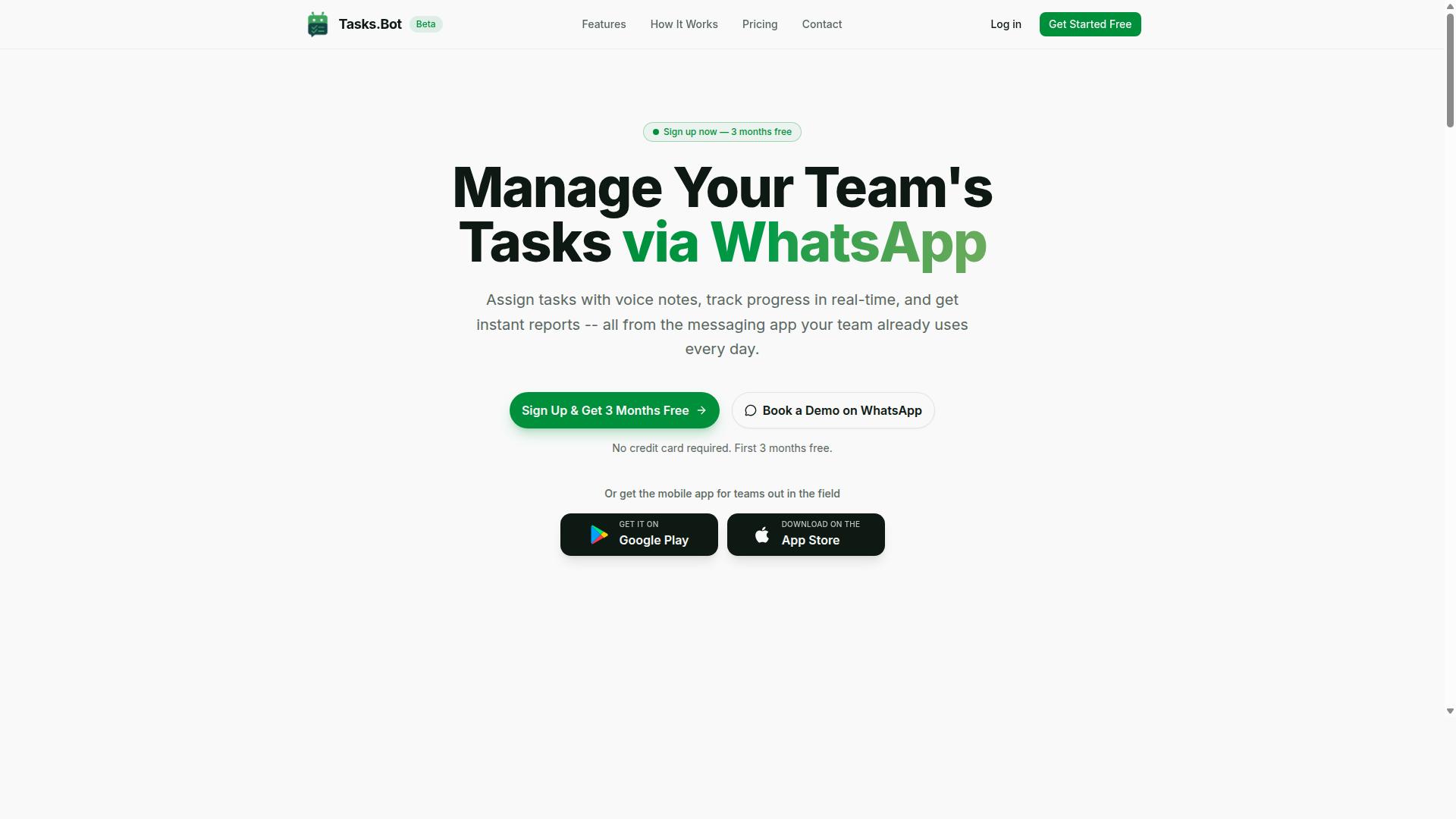
Tasks.Bot is a task management platform that operates entirely within WhatsApp, allowing teams to assign tasks, track progress, and receive reports without leaving the messaging app. Instead of asking staff to learn a new dashboard, it meets them in the tool they already open every day.
That design choice matters for adoption. No new app installation or account creation is required for teams already on WhatsApp, which removes the two biggest friction points in rolling out any new operations tool. Workers simply receive assignments and updates as messages.
Tasks.Bot also offers a mobile app for field teams, so staff working away from a desk can still manage their workload. The service is currently in beta and includes a free trial period, letting teams evaluate it before committing.
For invoice processing automation, this positions Tasks.Bot differently from dedicated accounts payable automation platforms. It is not built around OCR invoice capture, invoice data extraction, or machine learning invoice parsing. Its value in this context is coordination: getting the right person to review, approve, or act on an invoice-related task quickly, using a channel they already trust.
Who Tasks.Bot Serves and How Invoice-Related Workflows Fit In
Tasks.Bot is designed for teams that rely on WhatsApp for communication, especially those with field staff who need to manage tasks, attendance, and payroll-ready hours. The site mentions hundreds of teams already using the service, which suggests the WhatsApp-first model resonates with distributed workforces.
Invoice-related work can be adapted into this structure. A finance lead can create an invoice approval task, assign it to the appropriate approver, and track its status as it moves toward completion. Because everything happens inside WhatsApp, approvals do not stall waiting for someone to log into a separate portal.
Practical examples of invoice workflows that fit a task-and-approval model include:
- Creating an approval task when a vendor invoice arrives, routed to the responsible manager
- Assigning follow-up tasks when an invoice needs clarification or supporting documents
- Tracking approval status so finance knows which invoices are cleared and which are pending
- Logging payment confirmation tasks once an invoice has been approved
It is worth being clear about scope. Tasks.Bot is not a dedicated invoice processing tool. It does not replace invoice data extraction, three-way matching, duplicate invoice detection, or ERP integration. Teams needing full AP workflow software with intelligent document processing should look at purpose-built platforms.
Where Tasks.Bot fits is the human layer around invoicing. Approval routing, exception handling follow-ups, and status visibility all depend on people responding promptly. Running those steps through WhatsApp task assignments keeps invoice management moving without adding another login to the stack.
TaskRio vs Tasks.Bot: Which Fits Invoice Processing Automation?
When evaluating TaskRio and Tasks.Bot for invoice processing automation, it's important to understand that they serve fundamentally different purposes. TaskRio is built as a specialized invoice processing automation platform, while Tasks.Bot is a WhatsApp-based task management tool. Comparing them directly is less about which one wins and more about what each was designed to handle.
TaskRio focuses on the full accounts payable lifecycle. Its core strengths sit in OCR invoice capture, intelligent document processing (IDP), and machine learning invoice parsing that turns a PDF or scanned invoice into structured data. From there, it can run three-way matching, purchase order matching, and invoice reconciliation without a person retyping line items.
Tasks.Bot takes a different route. It is a task management tool that operates inside WhatsApp, which means its role in invoice processing is narrower. It can handle invoice approval workflow steps, task assignment, and approval routing as messages within a chat thread. It is not positioned as a document extraction or AP automation engine.
The table below summarizes the general differences based on publicly available information about how each type of tool is typically used.
| Capability | TaskRio | Tasks.Bot |
|---|---|---|
| Invoice data extraction | OCR and IDP focused | Not a core function |
| Three-way matching | Supported | Not a core function |
| ERP integration | Built for AP systems | Not a core function |
| Approval routing | Part of AP workflow | Handled via WhatsApp tasks |
| Best fit | End-to-end AP automation | Simple approval tasks |
Scenario one: a finance team processing hundreds of vendor invoices a month. They need automated invoice entry, duplicate invoice detection, and exception handling tied into their accounting software. TaskRio is the better fit here because those functions sit at the center of its design.
Scenario two: a small team already living in WhatsApp that just needs someone to approve an invoice before it gets paid. Tasks.Bot can support that kind of lightweight approval workflow without asking the team to adopt a new platform.
For comprehensive invoice processing automation, TaskRio is the stronger choice. It covers the whole path from capture to reconciliation, including invoice fraud detection and ERP integration. Tasks.Bot is not built to replace that, but it can complement it by handling approval steps in a channel teams already check every day.
The practical takeaway: pick the tool that matches the job. If the goal is end-to-end AP automation, TaskRio fits. If the goal is simple invoice approval inside WhatsApp, Tasks.Bot fits. Many teams end up using both, with one handling the heavy processing and the other keeping approvals moving.
Key Features and What Makes Tasks.Bot Stand Out
Tasks.Bot distinguishes itself through a set of features built natively for WhatsApp, eliminating the need for additional software installation. Team members do not need to create new accounts or learn a separate platform. The entire experience lives inside a messaging app most people already use every day.
For invoice processing automation, this matters more than it might seem. Accounts payable teams often struggle to get approvers to log into yet another portal. When approval requests arrive as WhatsApp messages, the friction disappears. An approver can review and act on an invoice without leaving the conversation.
Tasks.Bot combines several capabilities that support this kind of workflow:
- Voice note task creation powered by AI that understands natural language
- Approvals and automations that route tasks to the right person
- Smart deadline reminders to keep invoice approvals moving
- Instant reports for visibility into task and approval status
- Face-verified attendance and live GPS tracking for field staff
- Shifts, leave, and hours management with payroll-ready output
The platform also offers Android and iOS apps with push notifications, voice capture, and a home screen widget. Enterprise-grade encryption protects conversations and task data, which are never shared or used for training. A 3-month free trial with no credit card required lets teams evaluate the fit before committing.
Voice Notes, AI Task Creation, and Approvals for Invoice Approvals
Tasks.Bot allows users to create tasks via voice notes or natural language, which the AI interprets and converts into actionable tasks. Instead of filling out forms or navigating menus, a user simply sends a voice message in WhatsApp. The system understands the intent and creates a task with the relevant details attached.
This approach removes a common bottleneck in accounts payable automation. AP clerks and managers can log an invoice approval request the moment it comes to mind, without switching apps or opening a browser. The task is captured instantly and assigned automatically.
Approvals work the same way. A task can be routed to a designated approver who reviews it and either approves or rejects it directly within WhatsApp. For invoice approval workflows, this means:
- Create a task for the invoice that needs sign-off
- Assign it to the appropriate approver or manager
- Track the approval status as it moves through the process
- Receive smart deadline reminders if action is pending
This streamlines simple invoice approval workflows without leaving WhatsApp. There is no separate AP workflow software to open, no dashboard to check, and no email chain to chase. The approval happens where the conversation already lives.
For teams comparing invoice processing automation options, this native WhatsApp approach is a meaningful differentiator. It reduces the training burden and speeds up the time between invoice receipt and approval decision. The AI handles the parsing of intent, so users do not need to learn a new syntax or interface.
Face-Verified Attendance, GPS Tracking, and Payroll-Ready Hours
For teams with field staff, Tasks.Bot offers face-verified attendance and GPS tracking to ensure accurate time and location logging. Employees mark attendance by taking a selfie, which is verified against their profile. This prevents buddy punching and confirms that the right person is on site.
GPS tracking records location when tasks are completed or attendance is marked. For businesses with contractors or field workers, this creates a reliable record of where and when work happened. The live day tracker and tasks on a map give managers a real-time view of field activity.
Hours are tracked through the shifts, leave, and hours management features. The data can be exported as payroll-ready information, reducing manual timesheet entry and the errors that come with it.
How does this connect to invoice processing? When contractors or field staff submit invoices for payment, the billed hours can be checked against verified attendance and GPS records. This supports invoice verification and helps ensure that billed hours match actual work performed. It is a practical form of three-way matching logic applied to labor-based invoices.
Accurate attendance data also strengthens invoice reconciliation. If a vendor invoice claims 40 hours on site but the face-verified records show 32, the discrepancy surfaces before payment. This kind of check is difficult to do manually across multiple field teams, but it becomes straightforward when attendance and hours live in the same system as the invoice approval workflow.
For companies managing field staff payments, combining face-verified attendance with invoice approval routing in one WhatsApp-based tool reduces both administrative overhead and the risk of overpayment. The data is captured at the source, verified automatically, and available for review when the invoice arrives.
Pricing and Plans: Tasks.Bot's Full Access Compared
Tasks.Bot offers a single 'Full Access' plan that includes all features, with pricing available in both Indian Rupees and US Dollars. There are no tiers, no locked modules, and no upsells to decode. That simplicity matters when you are comparing invoice processing automation software, because most buyers end up budgeting for add-ons they did not anticipate.
The structure is straightforward. A monthly plan costs ₹200 per member per month. The annual plan costs ₹1,200 per year per member, which the brand states saves 50% and works out to ₹1,200 saved per member annually. The site includes a 'Select currency' option for Indian Rupee and US Dollar, so teams billing in USD should verify the displayed rate before committing.
New users also get 3 months free, no credit card required, and can cancel anytime. For a team evaluating AP workflow software, that trial window is long enough to run real invoice approval workflow scenarios before any payment is made.
| Plan | Price | Billing Basis | Features |
|---|---|---|---|
| Monthly | ₹200 | Per member, per month | All features included |
| Annual | ₹1,200 | Per member, per year | All features included |
Because every feature is bundled, cost scales with headcount rather than with capability. A five-person finance team on the annual plan pays ₹6,000 per year. A twenty-person team pays ₹24,000 per year. Nothing changes about what the software can do in either case.
That flat model has a practical consequence for invoice processing. Dedicated accounts payable automation platforms often price by invoice volume, document count, or module, so a busy month can quietly raise the bill. Tasks.Bot's per-member pricing is predictable instead. As a SaaS product, it also scales without renegotiation as a team grows or shrinks.
For teams whose needs center on a basic invoice approval workflow, this pricing can be cost-effective compared with dedicated AP automation software. Tasks.Bot is not positioned as a specialist engine for OCR invoice capture, three-way matching, or machine learning invoice parsing. It is a general work management tool with full access at a low per-seat rate. Buyers who need heavy invoice data extraction or ERP integration depth should weigh that distinction carefully. Buyers who mainly need routing, approvals, and visibility get a lean option.
Trust Signals: Beta Status, Encryption, and Refund Policy
Tasks.Bot is currently in beta, which means features may evolve, but the platform already implements encryption and offers a refund policy. For anyone weighing invoice processing automation for real accounts payable work, these three signals matter more than a polished marketing page.
Beta status is a double-edged detail. It tells you the product is under active development, so improvements can arrive quickly and the roadmap stays responsive to user feedback. It also means some behavior may shift between releases, and edge cases in invoice data extraction or approval routing could surface as the platform matures.
That trade-off is common in AP workflow software. Established suites move slowly. Younger tools iterate fast but carry more uncertainty. The question is not whether a beta label exists, but whether the surrounding safeguards make the risk manageable.
On data protection, Tasks.Bot encrypts information so sensitive vendor and payment details stay protected in transit and at rest. Invoice files carry bank details, tax identifiers, and contract terms, so encryption is not a nice-to-have for vendor invoice management. It is a baseline requirement.
Encryption alone does not replace process controls. Teams evaluating automated invoice entry should still confirm how access is scoped, how audit trails are kept, and how exceptions are escalated before granting a tool visibility into payable records.
The refund policy, mentioned in the site footer, lowers the cost of finding out. A refund option functions as a risk-free trial period: you can run real invoice data through the system, observe extraction accuracy on your own documents, and judge fit before committing budget.
For business-critical invoice approvals, that combination deserves a structured evaluation:
- Beta exposure: decide whether your AP cycle can tolerate occasional changes or instability during active development.
- Encryption: confirm it satisfies your internal data handling and compliance expectations.
- Refund policy: treat it as your exit ramp if results do not meet the bar.
- Demo access: the site offers a "Book a Demo on WhatsApp" option, a low-friction way to ask direct questions before testing.
A practical approach is to pilot Tasks.Bot on a limited slice of invoice volume first. Route a subset of vendor invoices, including a few known problem cases, through the platform and compare outcomes against your current manual or legacy process.
Pay attention to how the system handles duplicate invoice detection, exception handling, and matching against purchase orders. These are the points where invoice processing automation either earns trust or creates new cleanup work.
Some buyers will see beta status as a genuine concern, particularly in regulated environments where stability is audited. That hesitation is reasonable. The refund policy exists precisely to offset it, letting you verify performance with your own data rather than relying on claims.
Weigh the three signals together rather than in isolation. Rapid development plus encryption plus a refund path is a defensible posture for a newer platform. Rapid development alone, without data protection or an exit option, would not be.
One more detail worth noting: the site's copyright year reads 2026, a sign the project is being maintained and updated rather than abandoned. Combined with the demo booking option, the refund policy, and encryption, Tasks.Bot presents itself as an actively developed platform with safeguards in place, which is a reasonable foundation for a controlled pilot in invoice processing automation.
Who Should Use Tasks.Bot for Invoice Processing
Tasks.Bot is best suited for small to medium-sized teams that already use WhatsApp for communication and need a lightweight way to manage invoice approvals. Instead of asking staff to learn a new platform, it works inside a messaging tool they already check every day. That makes it a natural fit for teams with field staff who need simple, fast sign-off on supplier bills.
The site notes that hundreds of teams already rely on the service for task management, attendance tracking, and payroll-ready hours. Invoice approvals sit comfortably alongside those needs, since the same people submitting hours are often the ones who know whether a supplier charge is correct.
Tasks.Bot shines when the goal is approval routing, not full accounts payable automation. If your process is mostly "send it to the right person and get a yes or no," this is the kind of tool that keeps things moving without extra overhead.
Who gets the most value:
- Small to medium-sized teams already communicating through WhatsApp
- Organizations with field staff who need to approve invoices from a phone
- Businesses that want to avoid adopting and training on new software
- Teams with straightforward approval needs rather than complex AP requirements
Consider a construction company where a site supervisor receives a supplier invoice and approves it through WhatsApp while still on site. Or a small business that routes vendor bills to an owner or manager for a quick decision. In both cases, the workflow is simple and the value comes from speed and familiarity.
It is equally important to know when Tasks.Bot is not the right choice. Large enterprises processing high volumes of invoices typically need capabilities this tool is not built to provide. Those needs include OCR invoice capture, three-way matching, purchase order matching, and ERP integration, along with features like duplicate invoice detection and exception handling.
Organizations with those requirements should look at dedicated AP platforms such as TaskRio, which are designed for heavier invoice processing automation. Tasks.Bot excels at simple approval workflows, not full AP automation. Matching the tool to the job is what keeps an invoice approval process reliable.
Final Verdict: Is Tasks.Bot Worth It for Invoice Automation?
Tasks.Bot is a worthwhile tool for teams seeking a simple, WhatsApp-based solution for invoice approval tasks, but it is not a replacement for dedicated invoice processing automation platforms like TaskRio. The distinction matters because "invoice approval" and "invoice processing" are two different jobs, and confusing them leads to disappointment on both sides.
Tasks.Bot does one job well: it brings task management into WhatsApp, a messaging app most teams already have open all day. That means voice notes, AI assistance, and approval requests can live in the same thread where your team already talks. For a small business owner who wants to sign off on a vendor bill without opening yet another dashboard, that convenience is real.
Where Tasks.Bot stops short is the heavy lifting that accounts payable automation demands. Consider what a full invoice processing pipeline involves:
- Invoice data extraction and OCR invoice capture from PDFs, scans, and email attachments
- Intelligent document processing (IDP) and machine learning invoice parsing to read messy layouts
- Three-way matching between purchase orders, receipts, and invoices
- Duplicate invoice detection and invoice fraud detection checks
- ERP integration and accounting software integration for automated invoice entry
- Exception handling and invoice reconciliation at volume
Tasks.Bot does not claim to do these things. Its strength is the human layer, the moment a person needs to say yes or no. If your bottleneck is a manager forgetting to approve a bill, a WhatsApp nudge solves it. If your bottleneck is a finance team manually keying hundreds of invoices a month, a chat-based task tool will not close that gap.
So the verdict splits cleanly by use case. If you need basic invoice approval workflows and your team already lives in WhatsApp, Tasks.Bot is worth trying. The low-friction setup and the refund policy lower the risk of testing it on a real approval chain. You are not betting the finance department on it, you are testing whether chat-based approvals fit how your team works.
If you need comprehensive automation, from OCR capture through ERP posting, look at purpose-built invoice processing automation software instead. TaskRio and similar platforms are designed for that depth. Tasks.Bot is not competing there, and treating it as a substitute will only produce frustration.
The honest framing is this: Tasks.Bot is a task and approval tool that happens to be useful for invoice sign-off. It is not an AP workflow software suite, and it never presents itself as one. Judged against what it actually does, it holds up well for small teams and simple approval chains.
To learn more or book a demo on WhatsApp, contact Tasks.Bot by phone at +91 97143 42522 or by email at [email protected]. Ask specifically how approval routing would work for your invoice volume, and you will quickly know whether it fits.
Frequently Asked Questions
What makes Tasks.Bot different from TaskRio for invoice processing automation?
Tasks.Bot is a task management platform that runs entirely inside WhatsApp, so your team can assign tasks, get approvals, and receive reports without installing new software or creating new accounts. For invoice processing, this means invoice-related tasks, approvals, and status updates happen right in the chat app your team already uses. Tasks.Bot also supports voice note task creation, smart deadline reminders, and instant reports, which keeps invoice workflows moving without extra tools.
Do I need to install anything or train my team to use Tasks.Bot?
No. Tasks.Bot operates via WhatsApp, so team members don't need to install anything or create new accounts. There is also a mobile app for field teams if you need it. This makes it easy to roll out invoice processing tasks to staff who are already comfortable using WhatsApp.
How does Tasks.Bot handle invoice approvals and deadlines?
Tasks.Bot includes approvals and automations, smart deadline reminders, and instant reports. You can create invoice-related tasks using natural language or voice notes, and the AI understands them. This helps ensure invoices get reviewed, approved, and tracked on time without manual follow-ups.
How much does Tasks.Bot cost compared to TaskRio?
Tasks.Bot offers a 'Full Access' plan with all features included. Pricing is ₹200 per member per month, or ₹1,200 per year per member (a 50% saving on the annual plan), and is also available in US Dollars. For TaskRio's specific pricing, you would need to check their website directly, as we can only speak to our own transparent pricing.
Can Tasks.Bot handle invoice processing for field teams or remote staff?
Yes. Tasks.Bot is designed for teams that use WhatsApp, especially those with field staff who need task management, attendance tracking, and payroll-ready hours. It includes face-verified attendance and tasks on a map, so you can manage invoice-related tasks for remote or on-site workers. The service is available globally as a SaaS product.
How do I get started or see a demo of Tasks.Bot?
You can book a demo directly on WhatsApp through the Tasks.Bot website. You can also reach the team at [email protected] or +91 97143 42522. Tasks.Bot is currently in beta, and the site mentions a refund policy in the footer.
Recommended Resources: