Smart Reminder Automation Software Pricing Guide: What Should You Pay?
Reminder software quotes land anywhere from free to a few hundred rupees per member. If you run a team on WhatsApp, the difference between a workable bill and an inflated one comes down to how the tool counts your people and what it actually automates.
This guide breaks down the pricing models common in this category, then walks through Tasks.Bot's Full Access plan at ₹200 per member monthly or ₹1,200 yearly, including the free trial. By the end, you will know which features justify the cost and whether your team fits the plan.
What Is Tasks.Bot? Smart Reminder Automation via WhatsApp
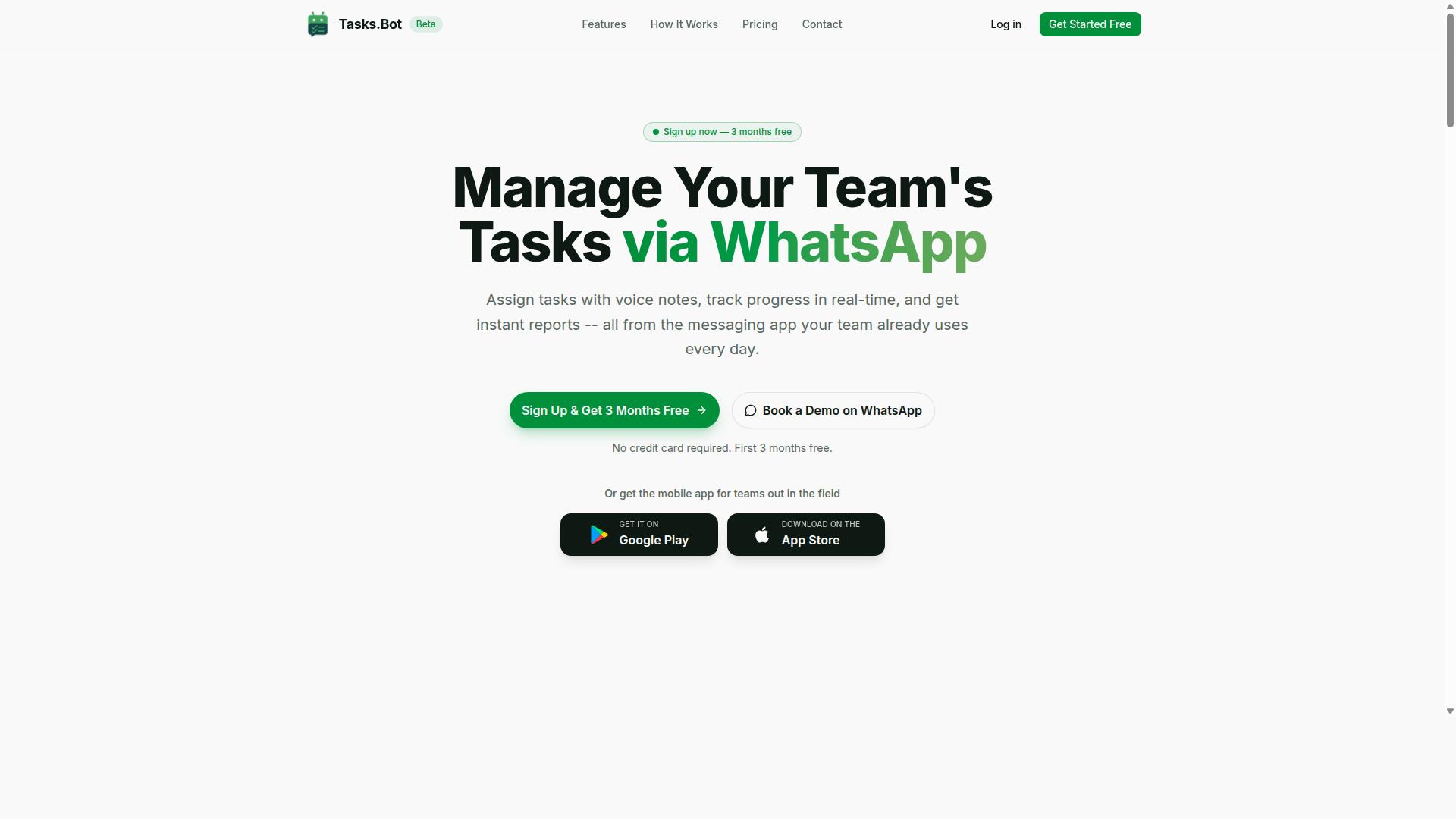
Tasks.Bot is a task management platform that operates entirely within WhatsApp, enabling teams to assign tasks, track progress, and receive reports without leaving the messaging app. For anyone comparing smart reminder automation software, that single design decision changes the entire cost conversation.
Most tools in this category charge you for seats, then expect every team member to adopt a new interface. Tasks.Bot takes the opposite route. Everything happens inside WhatsApp, so there is no new software to install and no separate account to create for the people doing the work.
That matters for pricing because adoption is usually where automation budgets quietly die. When a platform lives in an app your team already opens every day, you are not paying for training time, onboarding friction, or a tool that half the group ignores.
Tasks.Bot is a SaaS product built around three core jobs:
- Task assignment, so work is handed to a specific person rather than buried in a group chat
- Progress tracking, so status is visible without chasing updates
- Reporting, so managers get a picture of what is done and what is stuck
The platform also uses AI to interpret natural language and voice notes when creating tasks. This is the kind of no-code style input that lowers the barrier for field staff and non-technical teams.
For teams that are not sitting at a desk, Tasks.Bot offers a mobile app for field teams. That extends the same task flow to people working on site, in transit, or away from a computer.
The service is currently in beta and used by hundreds of teams, and it offers a free trial period. For a pricing guide, that beta status is worth noting. Buyers evaluating subscription cost should confirm current terms directly, since early-stage products often adjust packaging as they grow.
Where does this fit in a broader automation stack? WhatsApp handles the notification layer that tools like email alerts, SMS reminders, and push notifications try to replicate. Tasks.Bot sidesteps that competition by using a channel people already check constantly.
The practical benefit is straightforward. Smart reminder automation only works if reminders actually get seen and tasks actually get closed. Tasks.Bot targets that gap by embedding task scheduling and recurring reminders into an existing communication workflow rather than asking teams to build a new one.
What Should You Pay for Smart Reminder Automation Software?
Understanding the pricing landscape for smart reminder automation software helps you budget effectively and choose a model that aligns with your team's size and needs. There is no single answer to what you should pay, because the right number depends on how many people need access, which features matter most, and how often you are billed.
Most tools in this category charge somewhere between a few dollars and several dozen dollars per member each month. Feature depth drives the upper end, while basic reminder and notification tools sit at the lower end. Billing frequency also shifts the number: annual plans usually cost less per month than paying month to month.
Per-member pricing is the most common approach for team collaboration software, and it has an outsized effect on your total bill as your roster grows. A plan that feels cheap for five people can become a serious line item at fifty.
The subsections below break down the main pricing models, then explain why per-member billing deserves special attention when you forecast team costs.
Typical Pricing Models in This Category
Smart reminder automation tools commonly adopt one of several pricing models: flat-rate, tiered, per-user, or usage-based, each with distinct advantages and trade-offs. Knowing which one you are looking at makes it far easier to compare quotes fairly.
- Flat-rate: one fixed fee regardless of how many members use the tool. Predictable and simple, but you may pay for capacity you never use.
- Tiered plans: each tier unlocks more features, higher limits, or both. Feature gating often separates basic reminders from advanced automation triggers, API access, or audit logs.
- Per-user pricing: cost scales with the number of members, sometimes called seat-based billing. Common for team collaboration tools because it mirrors who actually logs in.
- Usage-based pricing: you pay for what you consume, such as messages sent, automation runs, or API calls. Efficient at low volume, harder to predict at high volume.
Many vendors also offer a freemium tier or a free trial as an entry point. These let you test the notification engine, calendar integration, or email alerts before committing budget.
The model changes total cost dramatically at scale. A flat rate of a few hundred dollars monthly costs the same for 10 or 50 users, while a per-user plan at a modest rate multiplies fivefold between those two team sizes. Tiered plans land in between, since a larger team may need a higher tier for user roles, permission controls, or compliance standards like GDPR or HIPAA support.
Large organizations with custom requirements, such as CRM sync, third-party integrations, or dedicated infrastructure, often move to an enterprise license negotiated directly with the vendor rather than a published plan.
Why Per-Member Pricing Matters for Team Cost Planning
Per-member pricing directly ties your subscription cost to team size, making it crucial to forecast growth and turnover when planning your budget. Costs rise in a straight line with each added member, which suits small teams but can become expensive as you scale.
Calculating total cost of ownership is straightforward: multiply the per-member rate by the number of active users, then by the billing period. For example, a 20-person team on a $5 per member per month plan pays $100 monthly, or $1,200 annually. Double the team to 40 people and the same plan costs $2,400 per year without any change in features.
That linear relationship cuts both ways. It keeps pricing transparent and easy to justify for a handful of users, but it punishes unchecked growth. A few strategies help keep the number under control:
- Choose annual billing where the discount is meaningful, since monthly rates are usually higher.
- Remove inactive users regularly. Seats assigned to people who never log in are pure waste.
- Audit roles and permissions so you are not paying for full seats where a limited role would do.
- Negotiate enterprise rates once your team is large enough to have leverage.
Before committing, map out how many members you expect in six and twelve months. A model that fits today may not fit after two hiring rounds, and switching costs later is rarely free.
Tasks.Bot Pricing: Full Access Plan Explained
Tasks.Bot offers a single 'Full Access' plan that includes all features, with pricing available in Indian Rupees and US Dollars, and a choice between monthly and annual billing. That is the entire pricing structure. There are no starter tiers, no premium upgrades, and no locked capabilities waiting behind a paywall.
For teams tired of comparing feature grids, this flat-rate model removes a familiar headache. Many smart reminder automation software platforms split capabilities across tiered plans, forcing buyers to guess which level unlocks API access, audit logs, or advanced automation triggers. Tasks.Bot sidesteps that entirely.
The pricing itself is straightforward:
- Monthly: ₹200 per member per month
- Annual: ₹1,200 per member per year
- Currency options: Indian Rupee (₹) and US Dollar ($), selectable on the site
Because every user gets the same toolset, feature gating never enters the conversation. A five-person team and a fifty-person team both see identical functionality, from recurring reminders to team collaboration features. The only variable is headcount, which keeps budgeting predictable.
This approach also simplifies procurement. There is no need to forecast which add-ons a growing team might need later, because nothing sits outside the plan. Everyone receives the same notification engine, the same task scheduling tools, and the same access to third-party integrations. For a pricing guide, that clarity is rare and worth noting.
Monthly vs Annual: ₹200/Member vs ₹1,200/Year
Choosing between monthly and annual billing for Tasks.Bot can yield significant savings, with the annual plan effectively giving you three months free. The math is simple. Monthly billing at ₹200 per member adds up to ₹2,400 per member over a year. The annual plan costs ₹1,200 per member per year, a 50% saving.
Here is how that plays out for a team of 10:
| Billing Option | Monthly Cost | Annual Total |
|---|---|---|
| Monthly (10 members) | ₹2,000 per month | ₹24,000 |
| Annual (10 members) | Not applicable | ₹12,000 |
The decision often comes down to cash flow. Monthly billing offers flexibility. A team can scale up or down, pause during quiet periods, or test adoption before widening the rollout. Annual billing requires an upfront payment but lowers the long-term subscription cost considerably.
For teams confident in their workflow needs, the annual route is the obvious financial choice. For those still evaluating how smart reminder automation software fits into daily operations, monthly keeps the commitment light.
Pricing is also available in USD for international customers, so teams outside India can pay in their preferred currency after selecting it on the site. That matters for distributed companies comparing per-user pricing across regions.
3 Months Free - Try Before You Pay
New users get 3 months free with no credit card required, and can cancel anytime.
Think of it as a free trial. That window gives a team room to test recurring reminders, voice note tasks, and integrations in real working conditions rather than in a rushed demo.
It is worth using that time deliberately. A practical checklist might include:
- Setting up automation triggers for routine team workflows
- Connecting calendar integration and testing email alerts or push notifications
- Inviting a pilot group and reviewing user roles and permission controls
- Checking how CRM sync and project management tools fit existing processes
The service is currently in beta, so early adopters may also have opportunities to share feedback on the product. A refund policy exists as noted in the site footer, though specific details are not spelled out there.
For buyers weighing a pricing guide decision, the takeaway is clear. Tasks.Bot's Full Access plan is simple, transparent, and genuinely generous with its free offer. One plan, two billing cycles, and three free months make the choice easy to justify.
What's Included in Tasks.Bot's Price: Smart Reminder Features
Tasks.Bot's Full Access plan bundles a robust set of smart reminder and automation features designed to streamline task management for teams of all sizes. Instead of splitting capabilities across tiered plans, the product keeps its core toolkit in one place, which makes budgeting far simpler for anyone comparing smart reminder automation software.
That matters in a pricing guide, because many platforms rely on feature gating to push buyers toward higher tiers. Tasks.Bot takes a different route. The Full Access plan covers the essentials a team actually needs day to day, without hidden add-ons for reminders, tracking, or reporting.
The feature set spans four broad areas:
- Task creation, including voice note task creation and automatic task assignment
- Reminders, including smart deadline reminders delivered through WhatsApp
- Automation, including approvals and automations
- Reporting and visibility, including instant reports, tasks on a map, and a live day tracker
Tasks.Bot also ships native Android and iOS apps with push notifications, voice capture, and a home screen widget. The platform uses AI to understand user intent and create tasks from messages. The sections below break down what each capability actually does.
Smart Deadline Reminders, Voice Note Tasks, and Automations
Tasks.Bot uses AI to automate deadline reminders, interpret voice notes for task creation, and trigger workflows based on task status changes. For teams weighing subscription cost against real value, these three capabilities tend to do the heaviest lifting.
Smart deadline reminders reach users through WhatsApp notifications, so nobody has to remember to check a separate dashboard. A notification engine that lives where your team already chats removes one more app from the daily routine.
Voice note task creation lets a user speak a task instead of typing it. The AI interprets the message and turns it into a structured task, which shortens the gap between a thought and a tracked assignment. This is especially useful for people working on the move.
Automation triggers handle the handoffs. When a task is marked complete, the next task can be assigned automatically, so work keeps moving without a manager chasing updates. The automations are no-code and set up inside WhatsApp, meaning no developer time and no separate workflow automation tool.
Together, these features cut manual follow-up and make accountability visible. Instead of relying on memory or reminders sent by hand, the system nudges the right person at the right moment and keeps the sequence intact.
Attendance, GPS Tracking, and Payroll-Ready Hours
For field teams, Tasks.Bot includes attendance tracking with GPS verification and payroll-ready hour logs, all accessible within WhatsApp. Team members check in and out through the same chat interface they use for tasks, which lowers the training burden compared with standalone time-tracking tools.
Location is captured at check-in for verification, and face-verified attendance adds a further layer of accountability. Hours are calculated automatically and formatted so they can feed into payroll processing, reducing the manual spreadsheet work that usually sits between tracking and payday.
The plan also covers shifts, leave, and hours management, so scheduling and attendance live alongside the rest of the workflow. For teams with staff spread across sites, this combination of GPS verification and automatic hour calculation addresses a common gap: knowing who was where, and when.
Crucially, these features sit inside the Full Access plan at no extra cost. There is no separate attendance module to buy and no per-feature upgrade path. For buyers mapping out total subscription cost, that transparency is a meaningful part of the value, since tracking and payroll prep often arrive as paid add-ons elsewhere.
Who Gets the Most Value From Tasks.Bot's Pricing
Tasks.Bot is ideally suited for teams that already use WhatsApp for communication, especially those with field staff who need task management, attendance tracking, and payroll-ready hours. That profile covers a wide range of businesses, but the pricing model rewards some teams more than others.
The pattern is simple: the more your team already lives inside WhatsApp, the faster Tasks.Bot pays for itself. There is no new app for staff to learn and no separate dashboard for managers to babysit. Work happens where conversations already happen.
Below are the groups that typically see the strongest return on a per-member subscription.
Small and medium-sized businesses. SMBs rarely have the budget for heavy project management suites, and they rarely have the staff to administer them either. Tasks.Bot fits because the cost scales with headcount, not with complexity. A ten-person business pays for ten members and gets task scheduling, recurring reminders, and attendance tracking without hiring an IT administrator.
Remote teams. Distributed teams struggle with visibility. When updates are scattered across email threads and video calls, managers lose track of who is doing what. Tasks.Bot keeps assignments and status visible in a channel everyone already checks, which reduces the follow-up overhead that eats into a remote team's day.
Field service teams. This is where the value is sharpest. A construction company with 20 field workers, for example, needs proof of attendance, confirmation that jobs were completed, and hours that can go straight to payroll. Tasks.Bot was built around exactly that need, so field staff can report in from a phone without visiting an office or filling out paper forms.
Sales teams spread across regions. A sales group working different territories needs consistent task assignment and follow-up reminders. Per-member pricing means the cost tracks the size of the team, so adding a rep in a new region adds one seat rather than a new contract negotiation.
WhatsApp familiarity drives adoption faster than almost any training program. Staff who already send messages and photos all day do not need to be convinced to use a tool that works the same way. Immediate adoption is the quiet reason per-member pricing works out cheaper in practice: software that nobody uses has a cost of zero value.
Tasks.Bot is a global service, available worldwide. Teams in different countries and time zones can run the same workflows without local infrastructure or regional restrictions, which matters for businesses coordinating staff across borders.
The site notes that hundreds of teams already use the service, a useful signal that the model holds up beyond a single industry or company size. If your team coordinates over WhatsApp and manages people in the field, on the road, or across regions, the per-member cost is easy to justify against the hours it saves.
Final Verdict: Is Tasks.Bot Worth the Price?
Tasks.Bot offers a compelling value proposition for WhatsApp-centric teams, with transparent per-member pricing, a feature-rich Full Access plan, and a 3-month free incentive. There are no hidden tiers, no feature gating, and no surprise add-ons to decode.
The entire cost structure comes down to two numbers: ₹200 per member per month, or ₹1,200 per member per year. Choosing the annual option effectively gives you three months free compared to paying monthly. For a ten-person team, that is a straightforward calculation rather than a budgeting puzzle.
What makes this pricing guide easy to close is that Full Access means exactly that. Every feature is included in the single plan, so you are not comparing seat-based billing against a stripped-down starter tier or wondering whether automation triggers sit behind a paywall.
The Case For and Against
Weighing any subscription cost means looking honestly at both sides. For Tasks.Bot, the strengths are practical and the limitations are clearly stated.
- No new app to adopt: the service works through WhatsApp, a tool most teams already open dozens of times a day. That removes the biggest barrier to adoption, which is usually onboarding yet another dashboard.
- AI-powered automation: reminders and task follow-ups are handled intelligently rather than through manual chasing.
- Attendance tracking: a capability included in the same flat Full Access plan, with no separate module to purchase.
- Currently in beta: the product is still maturing, so teams should expect an evolving feature set rather than a finished, decades-old platform.
- No free tier: there is no freemium entry point, so evaluating the tool means committing to a paid plan rather than testing indefinitely at zero cost.
The absence of a free tier is worth weighing against the free offer. A team that commits yearly pays for twelve months but effectively receives fifteen, which softens the risk of skipping a free trial.
Why the Cost Is Justified
For teams already running their work through WhatsApp, the maths favours Tasks.Bot. The alternative is the hidden cost of manual follow-ups: tasks that slip, reminders that never get sent, and managers spending hours chasing updates instead of doing their own work.
Automation replaces that overhead. Recurring reminders, task scheduling, and attendance visibility run without anyone remembering to trigger them, which is precisely where accountability tends to break down in busy teams.
Compare the subscription cost against the value of a single missed deadline or a forgotten client follow-up, and the per-member fee looks modest. You are not paying for a new tool your team must learn. You are paying to make the tool they already use more disciplined.
The beta status is a fair caveat, but it also explains the pricing. Early adopters get full feature access at a rate that reflects a product still growing, and the annual plan locks that rate in while adding three free months.
The Bottom Line
Tasks.Bot is worth the price for WhatsApp-first teams that want task accountability without changing how they communicate. The pricing is simple, the feature set is complete, and the annual incentive rewards commitment.
If your team already lives in WhatsApp and struggles with follow-through, the decision is straightforward. If you need a free tier to justify a trial, that option is not available here, though the three free months serve a similar purpose.
To explore the service, arrange a demo, or begin using Tasks.Bot, reach out directly:
- Phone: +91 97143 42522
- Email: hello@tasks.bot
For teams weighing smart reminder automation software, Tasks.Bot makes the verdict easy: transparent pricing, everything included, and a clear path to better task discipline inside the app your team already uses every day.
Frequently Asked Questions
How much does Tasks.Bot cost?
Tasks.Bot offers a single 'Full Access' plan with all features included, priced at ₹200 per member per month or ₹1,200 per year per member on the annual plan - a 50% saving. Pricing is available in both Indian Rupees and US Dollars. Because every feature is bundled into one plan, there are no confusing tiers to compare.
Is there a free plan or free trial?
Tasks.Bot does not list a free plan in its published pricing; the service is currently in beta and offers the 'Full Access' plan. The best way to evaluate it before paying is to book a demo on WhatsApp, where you can see how task assignment, reminders, and reports work for your team. The site also mentions a refund policy in its footer, so check that before committing.
Do I pay per team member, and what happens as my team grows?
Yes - Tasks.Bot pricing is per member, so your cost scales directly with team size at ₹200 per member per month, or ₹1,200 per year per member annually. The annual plan cuts the effective cost in half, which matters most for larger teams. Since all features are included in the one plan, adding members doesn't unlock hidden add-on fees.
Why does Tasks.Bot charge per member instead of a flat fee?
Tasks.Bot is built for teams that run on WhatsApp, including those with field staff who need task management, attendance tracking, and payroll-ready hours. Per-member pricing reflects that each person gets their own task assignments, smart deadline reminders, and reporting. It also means you only pay for the people actually using the platform.
What features are included in the price?
The 'Full Access' plan includes everything: voice note task creation, automatic task assignment, smart deadline reminders, approvals and automations, instant reports, tasks on a map, and live day tracking. Team members work entirely inside WhatsApp without installing anything or creating new accounts, and a mobile app is available for field teams. Face-verified attendance is also part of the offering.
How do I get a quote or ask about pricing for my team?
You can book a demo on WhatsApp directly from the Tasks.Bot website, which is the fastest way to see the product and confirm current pricing for your team size. For anything else, contact Tasks.Bot at hello@tasks.bot or +91 97143 42522. Tasks.Bot is a SaaS product available worldwide, so there are no country restrictions on signing up.